01Home
02JPIoT
03Services
04About
05Contact
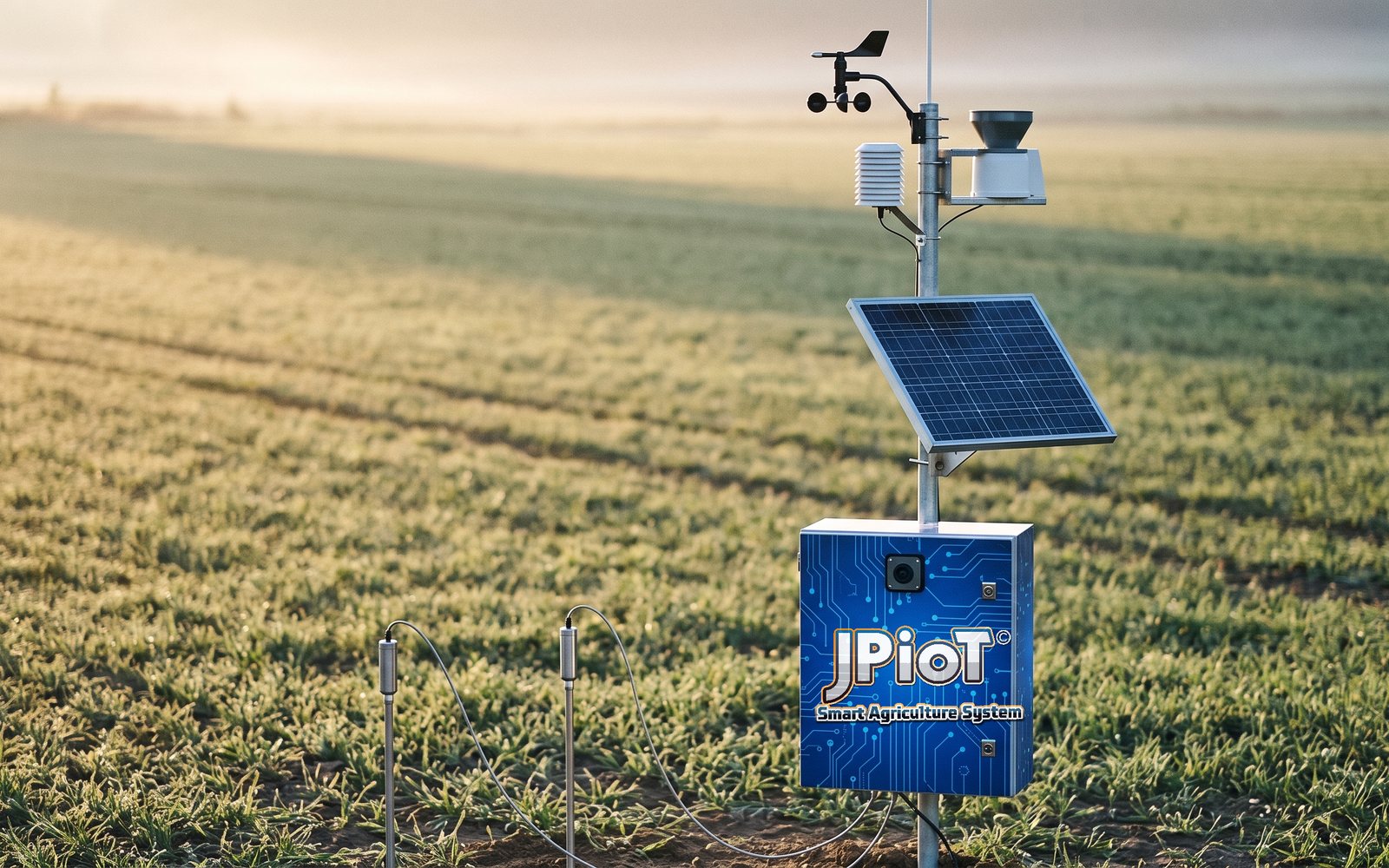
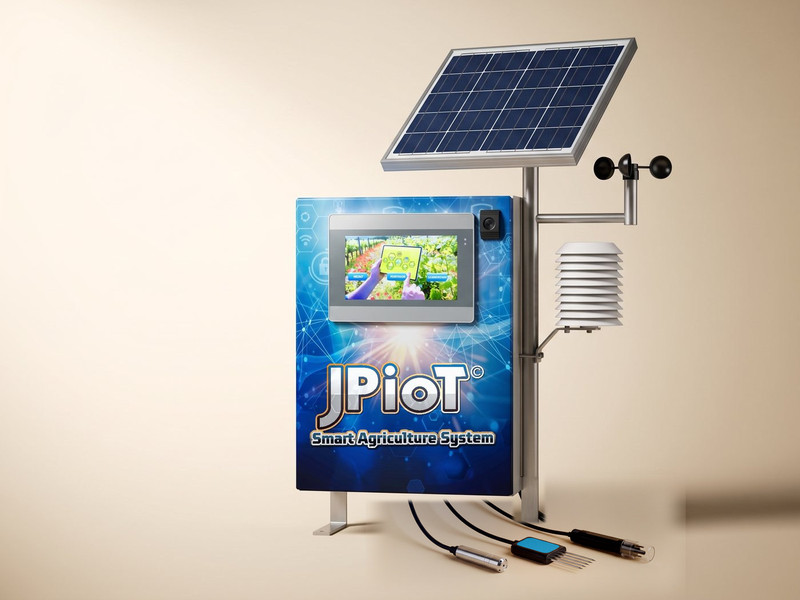
Product visualisation of a JPiOT monitoring station in a crop field: a blue enclosure and a solar panel on a pole, weather instruments above them and soil probes in the ground

Product visualisation

JPiOT / Smart Monitoring System

Soil. Weather. Weight.One connected view.

Bring soil readings, local weather and weight changes together to support more informed irrigation and crop-management decisions.

Weight sensor included

Load-cell weighing platform Illustrative setup

Three complementary signals

Each signal explains the others.

A moisture figure means more beside the rain that changed it, and a weight change means more beside both. The station brings all three into one view, so they can be read together.

  1. 01

    Soil

    In the root zone

    What it measures

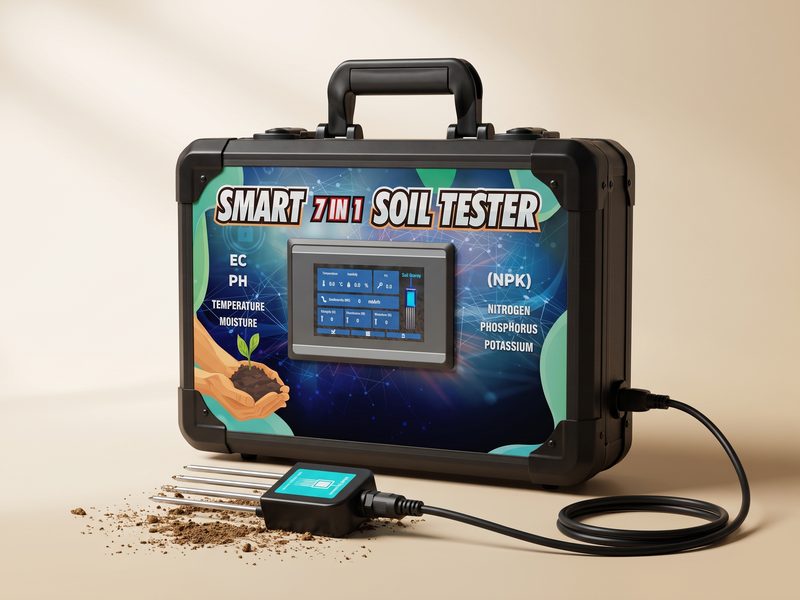
    Moisture, temperature, pH (acidity), electrical conductivity (EC, a guide to dissolved salts and nutrients), nitrogen, phosphorus and potassium.

    What it helps you understand

    What the roots are growing in: whether the root zone is wet or drying, warm or cool, and how its acidity, salt level and main nutrients change over time.

  2. 02

    Weather

    Above the crop

    What it measures

    Wind speed and direction, air temperature, humidity, rainfall, light, air pressure, carbon dioxide (CO₂) and ozone.

    Air pressure and ozone depend on the instruments fitted to your station.

    What it helps you understand

    Whether rain has already done the watering, and how hot, bright, dry and windy the day is: the conditions that decide how fast soil and plants lose water.

  3. 03

    Weight

    On the platformIncluded

    What it measures

    The total load on a load-cell platform: the container, growing medium, plant and water together.

    What it helps you understand

    How much a weighed pot or grow bag gains when it is watered, and how quickly it dries between waterings.

    See how the weight sensor works
One connected view of the farm

Included load-cell weight sensor

Another way to understand water changes.

A weighing platform beneath a pot or grow bag records changes in the combined load. Viewed alongside irrigation events, soil moisture and weather, the trend helps you understand watering and drying patterns.

Illustration: a grow bag with a young plant standing on a load-cell weighing platform, with a drip line into the bag.
Illustrative setup

Measured load through one example day

Example data: measured load through one day
TimeMeasured loadEvent
08:004.28 kgBefore irrigation
08:304.68 kgFollowing irrigation
09:004.56 kgAfter some drainage
14:004.48 kg
18:004.36 kg

08:00 · 4.28 kg · before watering

The starting point. Before irrigation, the platform carries the container, growing medium, plant and whatever water the medium still holds from earlier.

08:30 · 4.68 kg, then 4.56 kg at 09:00

Irrigation adds about 0.40 kg. That is water entering the medium, not plant growth. Over the next half hour the load falls back by 0.12 kg as excess water drains out.

14:00 · 4.48 kg, 18:00 · 4.36 kg

Through the day the load keeps falling, by 0.20 kg between 09:00 and 18:00, as water evaporates from the medium and leaves through the plant’s leaves. Read against temperature, humidity and soil moisture, the slope shows how quickly the pot is drying.

Illustrative demonstration with example data. Not a live reading or a control interface.

What the trend helps you do

  • See weight changes associated with watering.
  • Observe drying patterns between irrigation events.
  • Compare weight, moisture and weather when reviewing irrigation or fertigation schedules.
  • Identify unusual changes that deserve inspection, where alerts are configured.
What does the sensor actually weigh?

Everything the platform supports: the container, the growing medium, the plant and the water they hold. It measures that total load, not the plant on its own.

Taring removes a reference load, such as the empty container, from the reading. It does not isolate plant biomass automatically.

So a rise after watering is water, not growth. A fall can come from evaporation, from transpiration (water leaving through the leaves) and from drainage. Rain, harvesting, handling the pot and changes to the setup also change the reading.

The platform shows what changed, not why. It does not measure nutrient absorption, root uptake, biomass growth or yield.
What it watches

A living view of the farm.

Follow the latest readings from our connected farm sensors.

Values appear as each sensor reports them, except weight: shown in kilograms, with a reading below zero as 0 kg.

Weight scale

Straight from the scale.

The newest reading from the weighing scale on the farm above, on its own. A scale weighs everything on its platform together: in a growing setup, the container, medium, crop and the water the medium holds, so watering raises the reading and drying brings it down.

Farm

JPiOT · Telegram monitoring

Your farm.
Your data.
One conversation.

Check the conditions that matter, right from Telegram. Choose a system, open a sensor, and see its reading, status and next step.

Try the interactive demo. No Telegram account needed.

  1. 01Choose a system
  2. 02Select a sensor
  3. 03Read the response
JP Demo(MAHA 2026)Farm Pulse · bot preview
Live farm data
Interactive preview · No messages are sent to Telegram.
7 systems. 31 sensor readings. One place to explore them.Readings from our demo farm. Bot layout from supplied screenshots.

About this demo: it shows one demonstration farm’s bot menus, with that farm’s latest readings. It is not a list of what every Smart Monitoring System includes. Your bot shows the systems and sensors installed and configured on your farm, and each reading carries its own timestamp.

How the system connects

From the field to your screen.

Readings travel in stages, from the sensors in the field to the dashboard you check. Control of irrigation is a separate, optional step.

Monitoring

  1. 01

    Soil, weather and weight sensors

    Read the root zone, the air above the crop and the weighed pot.

  2. 02

    Field controller and data logger

    Collects the readings at the station, powered by its solar panel and battery.

  3. 04

    Gateway or configured internet connection

    Receives the radio link and forwards readings to the internet. LoRa alone does not provide internet access.

  4. 05

    Cloud dashboard

    Keeps the readings and shows them on a computer or phone.

  5. 06

    Grower reviews readings

    You compare, decide and act: when to irrigate, what to inspect.

Optional, separate from monitoring

07

Optional control integration

Irrigation or fertigation control, with suitable controllers, valves or pumps and configuration.

About the 5 km range

The LoRa link reaches up to 5 km in suitable open rural conditions. Terrain, trees, buildings and antenna height can all shorten it, so actual coverage is checked for your site.

Monitoring is not automation

The monitoring system reports readings. Opening a valve or starting a pump needs suitable controllers, actuators and configuration. Nothing changes your irrigation automatically unless that has been set up and confirmed for your site.

What is included

Every part of the station, and what it does.

Six physical parts, the weighing platform among them. Below them: what you get access to, and what depends on how your site is configured.

Schematic layout of the station: a solar panel and control enclosure on one pole with a LoRa antenna, a separate weather mast, a soil probe in the ground and a pot on a weighing platform, all cabled to the enclosure.
Schematic layout. Mounting and positions are set for each site.

1 / 6Physical equipment

Solar panel and battery

The panel charges a battery inside the enclosure, so the station powers itself in the field without a mains supply. The battery keeps it working through cloudy spells and the night while it holds charge.

2 / 6Physical equipment

Controller and data logger

The weatherproof enclosure holds the solar controller, LoRa module, data logger and battery. It gathers every sensor’s readings and passes them on.

3 / 6Physical equipment

LoRa communications

A LoRa radio and antenna send the readings across the farm to a gateway: long range, low power.

Up to 5 km in suitable open rural conditions; actual coverage depends on the site.

4 / 6Physical equipment

Soil probe

Set in the root zone. Reads moisture, temperature, pH, electrical conductivity, nitrogen, phosphorus and potassium.

5 / 6Physical equipment

Weather instruments

Mounted above the crop: wind speed and direction, air temperature, humidity, rainfall, light and CO₂.

Air pressure and ozone depend on the instruments fitted.

6 / 6Physical equipmentIncluded

Weight-sensor platform

A load-cell platform under a pot or grow bag. It records the total load of container, growing medium, plant and water, so watering and drying show up as changes in weight.

Select a number on the drawing to see what each part does.

Software access

How you see the readings.

With every station
  • Cloud dashboard, on a computer or phone.
  • Readings through the Farm Pulse Telegram bot, for the sensors installed.
  • Ask us about installation, support and any subscription terms before you order.

Depends on your configuration

Agreed during the site assessment.

Farm by farm
  • Air pressure and ozone instruments.
  • Gateway and internet connection.
  • Alerts, and who receives them.
  • Additional zones and sensors.
  • Irrigation or fertigation control.

Where it fits

Three settings, three ways to read it.

The same station supports different decisions, depending on how you grow.

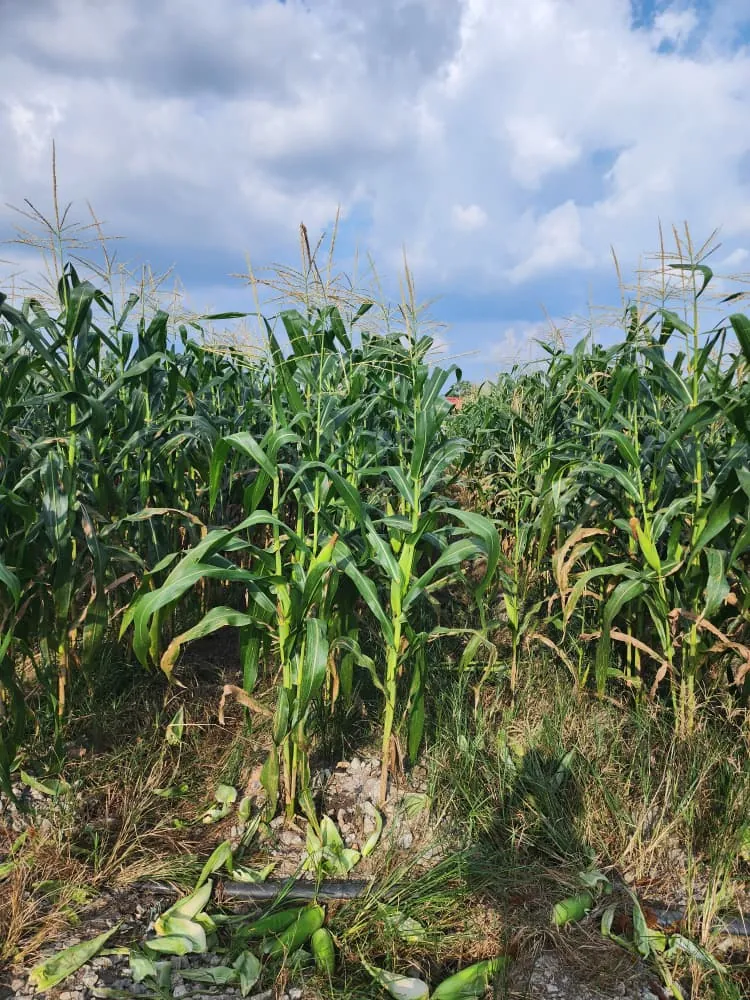
Maize growing in open ground under a cloudy sky, with a drip line along the row
Maize in open ground, with a drip line along the row

WeatherSoil

Outdoor farms

Combine weather and root-zone context. See whether rain reached the roots before the next irrigation, and how heat and wind dry the soil.

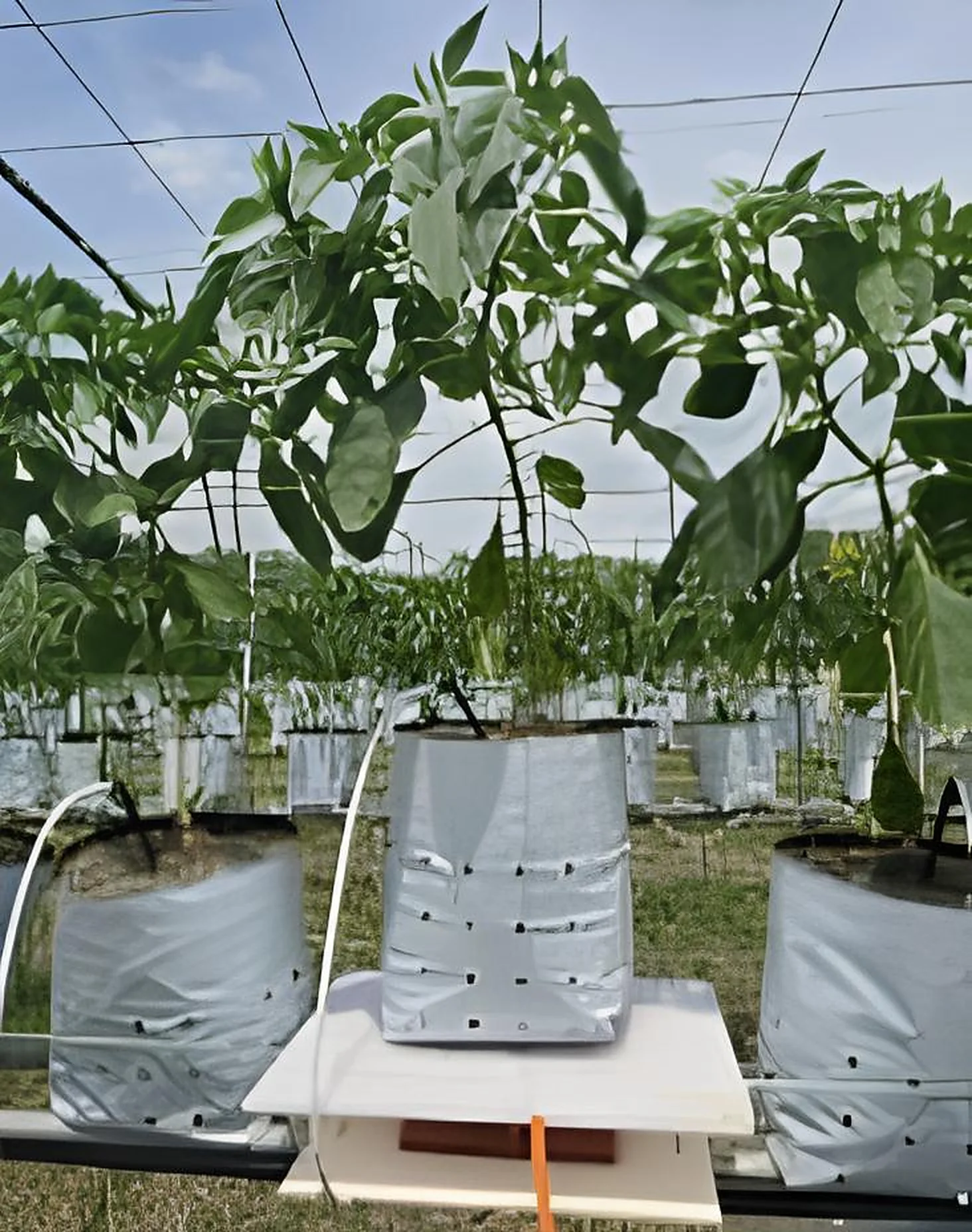
A white grow bag standing on a weighing platform between the other bags in the row, its plant tied to an overhead wire
A grow bag on a weighing platform, in the middle of the row

WeightSoil

Grow bags, potted crops and greenhouses

Observe weight changes alongside watering and moisture. The weighed pot shows how much each irrigation adds and how quickly the medium dries.

Beds of grow bags under a rain shelter, with a bay number painted on the wall behind them
Beds of grow bags under a rain shelter, with a bay number on the wall

By zone

Multiple growing zones

Organise and compare measurements where the configuration supports it, so one bed can be read against another.

Installation journey

Four steps, from first visit to daily readings.

Every site is different, so the configuration is agreed with you after the assessment.

  1. 01

    Assess the site

    We look at the crop, the layout, where the station and weighing platform should stand, and how the radio link will reach.

  2. 02

    Configure and install

    The station, sensors and communications are set up to suit that site.

  3. 03

    Calibrate and demonstrate

    Readings are checked, the weighing platform is set to its reference load, and you are shown the dashboard.

  4. 04

    Monitor and review

    You follow the readings and review them alongside your irrigation and crop records.

What shapes your configuration

Crop
Its root depth and water needs guide where the probe goes and which readings matter most.
Farm layout
Beds, zones and distances decide where the station stands and how many measuring points make sense.
Radio coverage
Terrain, trees and buildings decide the antenna height and where the gateway goes.
Weighing setup
The container, growing medium and support decide how the platform is placed and tared.

Enquire

Let’s match the system to your farm.

Tell us about your farm. Your answers go into a WhatsApp message you can check before sending.

Prefer to call?+60 10-211 0447

Opens WhatsApp with your answers filled in. Nothing is sent until you press send in WhatsApp.